How to check virtual environments
You can check virtual environments using a simple for loop in your terminal. This command finds all subdirectories in a specified parent folder, assumes each is a virtual environment, and then uses that environment’s pip to check for lifelines.
- Navigate to the folder that contains all your virtual environments.
- Run the following command: Bash
for venv in */ ; do if [ -f "${venv}bin/pip" ]; then echo "--- Checking in '${venv%?}' ---" ${venv}bin/pip list | grep 'lifelines' fi done
How it works:
- It loops through each subdirectory (e.g.,
my_project_venv/). - It checks if a
pipexecutable exists inside thebinfolder to confirm it’s likely a venv. - It then runs the
pip listcommand from within that specific environment and usesgrepto filter for the line containing “lifelines”. - If
lifelinesis installed, it will print the package name and its version. If not, it will print nothing for that environment.
## For Windows 🪟
You can use a similar loop in either Command Prompt (CMD) or PowerShell.
In PowerShell:
- Open PowerShell and navigate to the folder containing your virtual environments.
- Run the following command: PowerShe ll
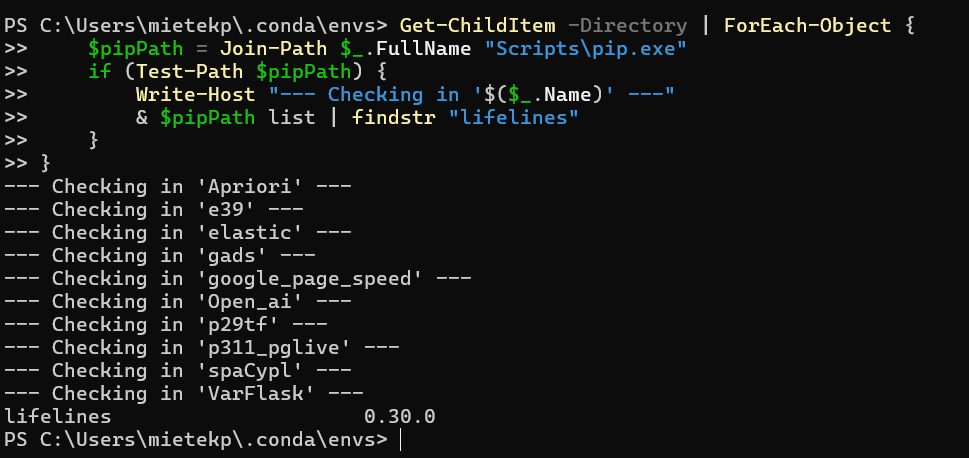
Get-ChildItem -Directory | ForEach-Object {
    $pipPath = Join-Path $_.FullName "Scripts\pip.exe"
    if (Test-Path $pipPath) {
        Write-Host "--- Checking in '$($_.Name)' ---"
        & $pipPath list | findstr "lifelines"
    }
}
Get-ChildItem -Directory | ForEach-Object {
    $pipPath = Join-Path $_.FullName "Scripts\pip.exe"
    if (Test-Path $pipPath) {
        Write-Host "--- Checking in '$($_.Name)' ---"
        & $pipPath list | findstr "lifelines"
    }
}
Inspection results