
10 Tips How To Make SQL Lighter
To optimize your queries for better performance and a lighter load on the database, consider the following 10 Tips How To Make SQL Lighter. SQL queries can be heavy and slow for various reasons, including inefficient data retrieval, poor indexing, and improper joins.
Reduce records in reference. Instead of query 1 which is quite heavy you can use query 2 – much lighter.
-- query 1
SELECT a.ProductId, p.[index] ProdIdx, p.[Name], p.[PriceDefault],
 isNull(pp.category_top,'Cat_null') Category_top, COUNT(*) Prod_bom_count

    FROM [DBProductAttribute] a with (nolock)
        left join [DBProduct] p with (nolock) on p.Id=a.ProductId
        left join [DB_Products] pp with (nolock) on pp.ProductId=a.ProductId
    where a.[name]='bom'
group by a.ProductId, p.[index], p.[Name], p.[PriceDefault], isNull(pp.category_top,'Cat_null')
-- query 2
SELECT a.ProductId, p.[index] ProdIdx, p.[Name], p.[PriceDefault],
isNull(pp.category_top,'Cat_null') Category_top, COUNT(*) Prod_bom_count
FROM [DBProductAttribute] a with (nolock)
left join [DBProduct] p with (nolock) on p.Id=a.ProductId
left join [DB_Products] pp with (nolock) on pp.ProductId=a.ProductId
where a.[name]='bom'
group by a.ProductId, p.[index], p.[Name], p.[PriceDefault], isNull(pp.category_top,'Cat_null')10 Tips How To Make SQL Lighter
1. Select Only What You Need
Instead of using SELECT *, specify the exact columns you need. This reduces the amount of data transferred from the database server to the application, lowering network traffic and memory usage.
SQL
-- Bad
SELECT * FROM employees;

-- Good
SELECT employee_id, first_name, last_name FROM employees;
2. Use Joins Efficiently
Use the most appropriate join type for your needs. For example, use INNER JOIN when you only need rows with matching values in both tables. Avoid cross joins if possible, as they produce the Cartesian product of the two tables, which can be massive.
3. Filter Data Early. 10 Tips How To Make SQL Lighter.
Use the WHERE clause to filter data as early as possible. This reduces the number of rows processed by subsequent operations like joins or aggregations.
SQL
-- Bad
SELECT first_name, last_name, salary
FROM employees
WHERE department_id IN (
    SELECT department_id FROM departments WHERE location = 'New York'
);

-- Good (filtering early)
SELECT e.first_name, e.last_name, e.salary
FROM employees AS e
JOIN departments AS d ON e.department_id = d.department_id
WHERE d.location = 'New York';
4. Use Indexes
Indexes are crucial for speeding up data retrieval. Ensure that columns used in WHERE clauses, JOIN conditions, and ORDER BY clauses are indexed. However, be mindful that too many indexes can slow down INSERT, UPDATE, and DELETE operations.
5. Avoid Subqueries in the WHERE Clause
Correlated subqueries can be very slow because they execute once for each row in the outer query. It’s often more efficient to rewrite them as JOINs.
6. Use UNION ALL Instead of UNION
UNION removes duplicate rows, which is an expensive operation. If you know there are no duplicates or you don’t need to remove them, use UNION ALL for better performance.
7. Limit Your Results
When fetching a large dataset, use LIMIT (or TOP in SQL Server) to restrict the number of rows returned. This is especially useful for pagination or when you only need a sample of the data. 10 Tips How To Make SQL Lighter.
8. Be Cautious with LIKE and Functions
Using the LIKE operator with a leading wildcard (%) or applying functions to columns in a WHERE clause can prevent the database from using an index. Instead of '%value', use 'value%'. Avoid WHERE UPPER(column) = 'VALUE', and try to store data in a consistent case.
9. Use EXISTS Instead of IN
For subqueries that check for the existence of rows, EXISTS is often faster than IN because EXISTS stops scanning as soon as it finds a match, whereas IN might scan the entire subquery result set.
10. Use Appropriate Data Types
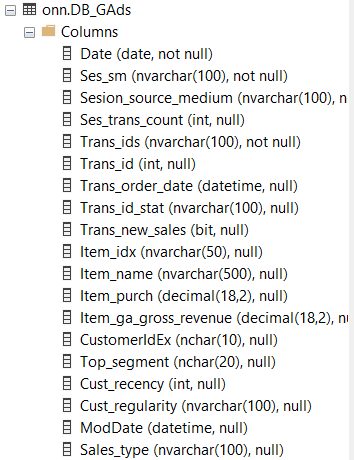
Choosing the right data type for your columns can save storage space and improve performance. For example, using TINYINT instead of INT for a small numerical range, or CHAR instead of VARCHAR if the length is fixed.
Some tips consulted with https://gemini.google.com
More sql tips here